Mobile proxies for web scraping
A scraper needs an address the site won't cut off within the first hundred requests. Hundreds of subscribers share a carrier's external IP, so blocking it costs the site too much. In Mobihub proxies run on your own phones: the IP changes by a link from your script or on a timer, and HTTP and SOCKS5 share one port.
- from 3 min
- timer-based IP change interval
- 1 link
- IP change from your script
- HTTP + SOCKS5
- on one port
- 100 Mbps
- speed on the Professional plan
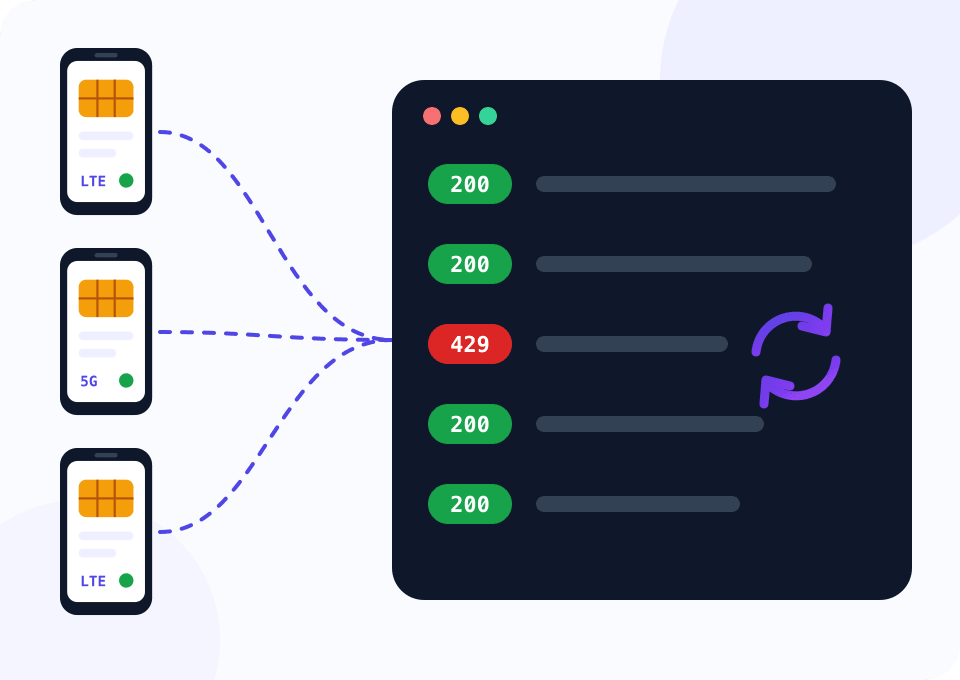
Why scrapers run into blocks
Websites count requests from every address. Data-center subnets have long been listed, and a protected site often meets such an IP with a captcha on the very first request. Even a clean address gets a 429 or a challenge page after a few hundred hits.
A mobile address is costlier to block: ordinary subscribers of the carrier stand behind it. If the limit is reached anyway, the IP changes by a link: the phone goes into airplane mode for a few seconds and comes back online with a new address from the carrier.
Volume needs a pool of several phones. The script below hands out page URLs across the proxies and changes the IP only on the one that got blocked while the rest keep working.
A pool of five phones for a month
The widget opens on Professional, five devices and 30 days. For scraping the plan's main difference is speed: up to 100 Mbps instead of 5 Mbps on Beginner. Five devices bring a volume discount, and the “Per device / month” row shows the cost of one proxy.
How to plug a pool into a scraper
The steps are the same for two phones and for twenty.
Connect the phones
Install Mobihub on Android phones with SIM cards from two or three carriers and create a proxy on the Professional plan on each.
Turn on Unique IP
When changing the address, the phone makes several attempts until it gets an IP this proxy hasn't had yet; the number of attempts is set in the settings. The scraper lands less often on an address the site recently blocked.
Build proxies.csv
For each proxy take the connection address and the IP change link from the dashboard. The file has three columns: name, proxy and rotate_url.
Set the pace
Start with a two to three second pause between requests through one phone and raise it if blocks are frequent. Frequent IP changes don't replace a calm pace.
Run the script and read the summary
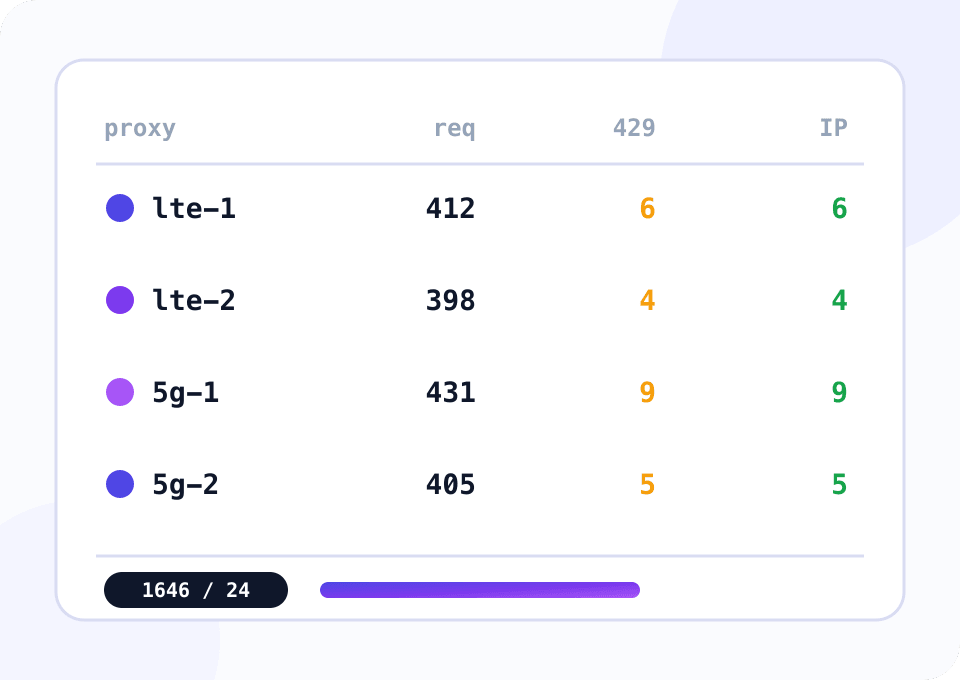
Every attempt goes to results.jsonl. At the end the script prints the number of requests, blocks and IP changes for each proxy.
Script: scraping through a pool that rotates on blocks
The script hands out URLs from urls.txt across the proxies in proxies.csv, one thread per phone. A 403, a 429 or a captcha page counts as a block: the URL goes back to the queue, cookies are cleared and the proxy's IP change link is called. The script waits for the new address and carries on while the other phones keep working. If the IP fails to change, the phone leaves the pool and the others take its URLs. A reCAPTCHA script in the page code doesn't count as a block: the script looks for the challenge text a person sees.
import csv
import json
import queue
import random
import re
import threading
import time
from concurrent.futures import ThreadPoolExecutor
from datetime import datetime, timezone

import requests

PROXIES_FILE = "proxies.csv"
URLS_FILE = "urls.txt"
RESULTS_FILE = "results.jsonl"
IP_ECHO = "https://api.ipify.org"
BLOCK_CODES = {403, 429}
BLOCK_PHRASES = ("verify you are human", "are you a robot", "unusual traffic", "access denied", "не робот")
PAUSE = (1.5, 3.5)
MAX_ATTEMPTS = 3
ROTATE_TIMEOUT = 90
REFUSED_WAIT = 60
ROTATE_TRIES = 3
HEADERS = {
    "User-Agent": "Mozilla/5.0 (Linux; Android 13; Pixel 7) AppleWebKit/537.36 "
    "(KHTML, like Gecko) Chrome/126.0 Mobile Safari/537.36",
}

write_lock = threading.Lock()


def exit_ip(session):
    try:
        return session.get(IP_ECHO, timeout=15).text.strip()
    except requests.RequestException:
        return None


def request_change(proxy):
    for attempt in range(ROTATE_TRIES):
        if attempt:
            time.sleep(REFUSED_WAIT)
        try:
            answer = requests.get(proxy["rotate_url"], timeout=15).json()
        except (requests.RequestException, ValueError):
            answer = {}
        if answer.get("result") == "Success":
            return True
    return False


def rotate(proxy, session):
    previous = exit_ip(session)
    if not request_change(proxy):
        return False
    deadline = time.time() + ROTATE_TIMEOUT
    while time.time() < deadline:
        time.sleep(5)
        current = exit_ip(session)
        if current and current != previous:
            return True
    return False


def visible_text(html):
    html = re.sub(r"(?is)<(script|style)\b.*?</\1>", " ", html[:20000])
    return re.sub(r"<[^>]+>", " ", html).lower()


def blocked(response):
    if response.status_code in BLOCK_CODES:
        return True
    text = visible_text(response.text)
    return any(phrase in text for phrase in BLOCK_PHRASES)


def handle(session, proxy, stats, tasks, url, attempt):
    record = {
        "at": datetime.now(timezone.utc).isoformat(timespec="seconds"),
        "url": url,
        "proxy": proxy["name"],
        "attempt": attempt,
    }
    retry = False
    usable = True
    try:
        response = session.get(url, timeout=30)
        stats["requests"] += 1
        record["status"] = response.status_code
        if blocked(response):
            stats["blocks"] += 1
            record["state"] = "blocked"
            retry = True
            session.cookies.clear()
            if rotate(proxy, session):
                stats["rotations"] += 1
            else:
                usable = False
        else:
            record["state"] = "ok"
            record["bytes"] = len(response.content)
    except requests.RequestException as error:
        record["state"] = f"error: {type(error).__name__}"
        retry = True
    if retry and attempt < MAX_ATTEMPTS:
        tasks.put((url, attempt + 1))
    return record, usable


def worker(proxy, tasks, results):
    session = requests.Session()
    session.proxies = {"http": proxy["proxy"], "https": proxy["proxy"]}
    session.headers.update(HEADERS)
    stats = {"name": proxy["name"], "requests": 0, "blocks": 0, "rotations": 0}
    while True:
        try:
            url, attempt = tasks.get(timeout=1)
        except queue.Empty:
            if tasks.unfinished_tasks == 0:
                return stats
            continue
        try:
            record, usable = handle(session, proxy, stats, tasks, url, attempt)
        finally:
            tasks.task_done()
        with write_lock:
            results.write(json.dumps(record, ensure_ascii=False) + "\n")
            results.flush()
        if not usable:
            print(f"{proxy['name']}: IP did not change, the proxy leaves the pool")
            return stats
        time.sleep(random.uniform(*PAUSE))


def main():
    with open(PROXIES_FILE, newline="") as f:
        pool = list(csv.DictReader(f))
    tasks = queue.Queue()
    with open(URLS_FILE) as f:
        for line in f:
            if line.strip():
                tasks.put((line.strip(), 1))

    with open(RESULTS_FILE, "a") as results, ThreadPoolExecutor(len(pool)) as executor:
        summary = list(executor.map(lambda proxy: worker(proxy, tasks, results), pool))

    print(f"{'proxy':<12}{'requests':>10}{'blocks':>8}{'rotations':>11}")
    for row in summary:
        print(f"{row['name']:<12}{row['requests']:>10}{row['blocks']:>8}{row['rotations']:>11}")
    if tasks.qsize():
        print(f"{tasks.qsize()} URLs left: every proxy in the pool is blocked")


if __name__ == "__main__":
    main()
The IP change link answers with code 200 and writes Success or Failure in the body. Failure comes, for example, when changes are requested too often: the script waits a minute and tries twice more. While the phone is in airplane mode its proxy is unreachable, so a change takes tens of seconds.
Which plan to take for scraping
For scraping the difference between the plans comes down to speed and traffic savings.
Test the site and debug the script
Up to 5 Mbps is enough to see how the site reacts to a mobile address and to debug the scraper on a short list of pages.
- $4 per device for 30 days
- Speed up to 5 Mbps
- IP change by link and by timer
- Login or allowed IP list access
Ongoing data collection
Up to 100 Mbps per device, Unique IP and SmartRelay: the phone downloads pages over the mobile network and sends them to the server over Wi‑Fi, so the SIM's data plan drains about half as fast.
- $7 per device for 30 days
- Speed up to 100 Mbps
- Unique IP after a change
- SmartRelay and a volume discount
How to collect data without burning addresses
Public data only
Collect what the site shows without signing in, follow its terms and personal data laws. Changing the address doesn't make prohibited collection legal.
Pace beats rotation
A site notices the pace before the address. A random pause between requests cuts blocks more than frequent IP changes.
Cookies belong to an address
If the site sets cookies on the first visit, keep them in one proxy's session and clear them with every IP change. Cookies issued to one address arriving from another look suspicious.
Several carriers in the pool
SIM cards from two or three carriers give addresses from different subnets, and the pool won't stop entirely if one carrier has trouble.
Only the bytes you need
A page with images and scripts weighs megabytes. Request the site's HTML or API without extra resources, and on Professional set a traffic limit on the connection.
Questions and answers
How often can the IP be changed by link?
How many scraper threads should go through one phone?
Do the proxies work with Selenium and Playwright?
Can I scrape sites that open only from one country?
Why does the site keep blocking after an IP change?
What makes a mobile proxy better for scraping than a server one?
Mobile proxies for other tasks
Test your site on a mobile IP
Support gives new customers 24 hours of free access. Connect a phone, run the script on a short list of pages and see how many blocks are left.
